

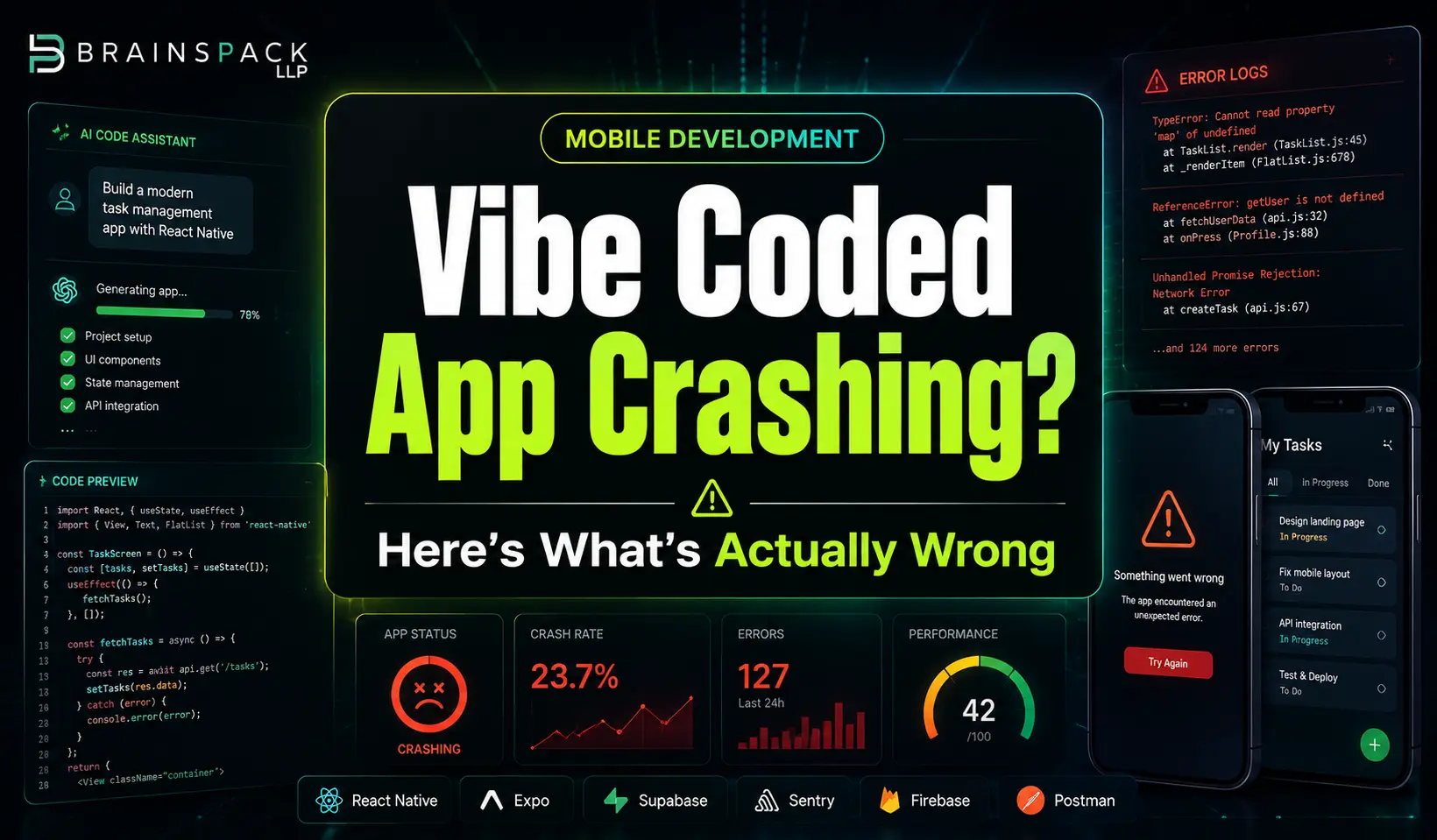
Your Vibe Coded App Keeps Crashing – Here’s What’s Actually Wrong

Varun

Vibe coded mobile app crashing after AI-assisted development with Brainspack branding

Before your next launch or before you patch your existing app, do run through these 10 checks. They cover the failure patterns documented across every tool and every incident mentioned in this article.

  1. Every API call has a response status check before .json() parsing
  2. Every useEffect that starts something has a cleanup return function
  3. No API keys exist anywhere in frontend code or committed .env files – run trufflehog git:// on your repo
  4. Every async operation has an error state that shows the user a meaningful message
  5. Loading states exist for every data fetch – test on a throttled 3G connection in browser dev tools
  6. Auth token refresh logic is implemented for every OAuth or JWT integration
  7. CORS headers are configured correctly for your production domain, not just localhost
  8. Database connections use pooling – not a new connection per request
  9. Error monitoring (Sentry free tier) is installed and capturing production errors
  10. The app has been tested with browser dev tools set to simulate slow network and offline mode


What to Do Right Now

If your app is currently broken in production, this is the correct sequence:

First, install Sentry on the free tier if you have not already. It will immediately start capturing unhandled errors and showing you exactly where crashes are occurring – often resolving the “I have no idea what is wrong” problem within the first hour.

Second, open your browser developer console on your live production app and look for red error messages. The console shows unhandled promise rejections and JavaScript errors that are invisible to users but point directly to root causes.

Third, check your deployment platform logs like Vercel, Netlify, Railway, or Supabase all have log viewers that show server-side errors. Look for 4xx and 5xx status codes and identify which API routes they are coming from.

Fourth, cross refer what you find with the five failure patterns in this article. Most production crashes in vibe coded apps are caused by one or two of these patterns, not ten simultaneous problems.

If you find the problem but are not sure how to fix it safely on a live codebase – especially one with real users, that is precisely the scenario where a structured code review is worth the investment. The cost of a professional audit is a fraction of the revenue risk of continued crashes. 

Frequently Asked Questions

Why does my AI-coded app work on my machine but crash in production?

Your local machine runs under ideal conditions – fast network, single user, short sessions, no real load. Production exposes edge cases that never occur in development: network timeouts, simultaneous users triggering race conditions, sessions that last long enough for auth tokens to expire, and API rate limits that only appear at real usage volumes. The app is not broken differently in production, it is exactly the code the AI generated which is now exposed to conditions the AI never anticipated.

How do I know if my vibe-coded app has a security vulnerability?

Run trufflehog git:// on your repository to scan for exposed API keys and secrets. Check your frontend JavaScript bundle (visible in browser dev tools under Sources) for any strings that look like API keys, tokens, or passwords. Review your Supabase or database configuration for Row Level Security, missing RLS is the single most common security gap in Lovable and Supabase-backed apps. Security scanning tools like GitGuardian offer free tiers that run continuously on your repository.

Can I fix a vibe-coded app or do I need to rewrite it entirely?

Most vibe-coded apps with fewer than five distinct crash types are fixable without a rewrite. The five failure patterns in this article – error handling, loading states, race conditions, memory leaks, and API failures are all patchable on a running codebase without rebuilding from scratch. A rewrite becomes necessary when the architecture itself is incoherent, when more than 50% of components have structural issues, or when every fix introduces new failures. If you are unsure, a structured code audit will tell you within a few hours which category your codebase falls into.

What is the fastest free tool to diagnose production crashes in a vibe-coded app?

Sentry on the free tier is the fastest diagnosis tool available. Install it in under 15 minutes and it immediately starts capturing unhandled errors, showing you stack traces, the user action that triggered the crash, and the frequency of each error type. For API-specific failures, your deployment platform’s built-in logs (Vercel logs, Supabase logs) show real-time status codes and let you identify which endpoints are returning errors.

Why does Cursor keep generating the same bug even after I tell it to fix it?

This is a context window limitation. Cursor’s AI context has a finite window – it knows about recent prompts and recent code but loses awareness of earlier architectural decisions. When it fixes a bug in prompt 20, it may not have access to the context from prompt 5 that explains why the original pattern was written the way it was. The fix reintroduces the bug because the underlying pattern that causes it is not in the current context. Solutions include providing explicit context in each fix prompt, using Cursor’s full codebase indexing features, and breaking complex fixes into smaller, explicitly contextualised steps. This is an active discussion on r/cursor and r/ChatGPTCoding.

Is my app’s data safe if it was built with a vibe coding tool?

It depends on whether Row Level Security is configured in your database, whether API keys are stored as environment variables rather than in frontend code, and whether authentication is validated server-side. Apps built with Lovable + Supabase are particularly vulnerable to missing RLS – meaning all users can potentially access all other users’ data. Run an immediate check: log into your Supabase dashboard and verify that RLS is enabled on every table that contains user data. The Supabase documentation on RLS walks through the setup.

Related Reading and Community Resources

For ongoing learning, these communities and resources are where the most current vibe coding debugging knowledge lives:


If you are dealing with a vibe-coded app that is breaking in production and need a structured diagnosis rather than more trial and error, a free code audit identifies the specific failure patterns in your codebase and tells you exactly what to fix and in what order.

Disclaimer

This article is written for technical educational purposes. The failure patterns, incident references, tool behaviours, and debugging approaches described here are drawn from documented community reports, published security research, and engineering best practices current as of March 2026. Individual codebases vary significantly – the patterns described are the most commonly observed across vibe-coded applications but may not apply to every case.

References to specific tools (Cursor, Lovable, Replit, v0, Bolt.new) describe general observed behaviours and documented community-reported failure patterns. They do not constitute a comprehensive technical audit of any tool’s capabilities or limitations, and tool behaviour changes with version updates. Always verify current tool documentation before making architectural decisions based on this content.

Security incident descriptions (Moltbook, Lovable access control failure, Replit agentic deletions) are based on publicly reported information available at time of writing. Details may differ from final incident reports.

This content does not constitute professional legal, financial, or security advice. For critical production systems, data-sensitive applications, or regulated industry deployments, engage a qualified software security professional for a formal assessment.

Different tools generate different failure signatures. Knowing which tool built your app points you toward the most likely failure category.

Lovable failures concentrate around authentication flows. The tool generates optimistic frontend auth that assumes tokens are always valid, missing the refresh logic that keeps users logged in beyond the initial session window. If your Lovable app has login problems or users getting randomly logged out, this is almost certainly the cause.

Cursor failures concentrate around context window limitations. When you build features iteratively over many prompts, Cursor loses context of earlier decisions. Cleanup functions added in prompt 5 get forgotten when prompt 15 adds a related feature. The result is accumulated technical debt that compounds – bugs that keep coming back because the fix is applied without understanding the earlier context that caused the problem. Discussion of this pattern is active on r/cursor.

Replit failures concentrate around environment and deployment issues. Public Replit environments expose .env files. Database connection pooling is not configured for real traffic loads. Cold start issues cause the first request after an idle period to time out. The Replit community forum documents these patterns extensively.

v0 failures concentrate around component integration. v0 generates beautiful, isolated Shadcn UI components that lack error boundaries. When integrated into a larger codebase, a single fetch failure in one component crashes the entire app. CORS configuration gaps appear consistently after Vercel deployment.

The Decision You Need to Make: Fix or Rewrite

Not every vibe-coded codebase can be patched. There is a tipping point beyond which continued debugging is more expensive than a structured rewrite, and knowing where that point is saves significant time and money.

Signs your app is patchable: Fewer than 5 distinct crash types. Failures are consistent and reproducible. Core business logic is sound. The architecture, even if not hardened, is coherent.

Signs you need a rewrite or major refactor: More than 50% of components have structural issues. Every fix introduces new bugs. You cannot add features without breaking existing ones. A technical reviewer (or a tool like SonarQube) scores your debt at 7/10 or higher. You have paying users leaving because of instability.

If you have paying users and a broken codebase: Do not rewrite while the app is live with live users. Fork to a v2 branch, maintain the broken v1 with minimal patches for existing users, and migrate users to v2 via feature flags as sections stabilise. This is the approach recommended in post-mortems documented on Hacker News and in the Indie Hackers community.

The Pre-Deployment Checklist That Catches 95% of These Failures

Before your next launch or before you patch your existing app, do run through these 10 checks. They cover the failure patterns documented across every tool and every incident mentioned in this article.

  1. Every API call has a response status check before .json() parsing
  2. Every useEffect that starts something has a cleanup return function
  3. No API keys exist anywhere in frontend code or committed .env files – run trufflehog git:// on your repo
  4. Every async operation has an error state that shows the user a meaningful message
  5. Loading states exist for every data fetch – test on a throttled 3G connection in browser dev tools
  6. Auth token refresh logic is implemented for every OAuth or JWT integration
  7. CORS headers are configured correctly for your production domain, not just localhost
  8. Database connections use pooling – not a new connection per request
  9. Error monitoring (Sentry free tier) is installed and capturing production errors
  10. The app has been tested with browser dev tools set to simulate slow network and offline mode


What to Do Right Now

If your app is currently broken in production, this is the correct sequence:

First, install Sentry on the free tier if you have not already. It will immediately start capturing unhandled errors and showing you exactly where crashes are occurring – often resolving the “I have no idea what is wrong” problem within the first hour.

Second, open your browser developer console on your live production app and look for red error messages. The console shows unhandled promise rejections and JavaScript errors that are invisible to users but point directly to root causes.

Third, check your deployment platform logs like Vercel, Netlify, Railway, or Supabase all have log viewers that show server-side errors. Look for 4xx and 5xx status codes and identify which API routes they are coming from.

Fourth, cross refer what you find with the five failure patterns in this article. Most production crashes in vibe coded apps are caused by one or two of these patterns, not ten simultaneous problems.

If you find the problem but are not sure how to fix it safely on a live codebase – especially one with real users, that is precisely the scenario where a structured code review is worth the investment. The cost of a professional audit is a fraction of the revenue risk of continued crashes. 

Frequently Asked Questions

Why does my AI-coded app work on my machine but crash in production?

Your local machine runs under ideal conditions – fast network, single user, short sessions, no real load. Production exposes edge cases that never occur in development: network timeouts, simultaneous users triggering race conditions, sessions that last long enough for auth tokens to expire, and API rate limits that only appear at real usage volumes. The app is not broken differently in production, it is exactly the code the AI generated which is now exposed to conditions the AI never anticipated.

How do I know if my vibe-coded app has a security vulnerability?

Run trufflehog git:// on your repository to scan for exposed API keys and secrets. Check your frontend JavaScript bundle (visible in browser dev tools under Sources) for any strings that look like API keys, tokens, or passwords. Review your Supabase or database configuration for Row Level Security, missing RLS is the single most common security gap in Lovable and Supabase-backed apps. Security scanning tools like GitGuardian offer free tiers that run continuously on your repository.

Can I fix a vibe-coded app or do I need to rewrite it entirely?

Most vibe-coded apps with fewer than five distinct crash types are fixable without a rewrite. The five failure patterns in this article – error handling, loading states, race conditions, memory leaks, and API failures are all patchable on a running codebase without rebuilding from scratch. A rewrite becomes necessary when the architecture itself is incoherent, when more than 50% of components have structural issues, or when every fix introduces new failures. If you are unsure, a structured code audit will tell you within a few hours which category your codebase falls into.

What is the fastest free tool to diagnose production crashes in a vibe-coded app?

Sentry on the free tier is the fastest diagnosis tool available. Install it in under 15 minutes and it immediately starts capturing unhandled errors, showing you stack traces, the user action that triggered the crash, and the frequency of each error type. For API-specific failures, your deployment platform’s built-in logs (Vercel logs, Supabase logs) show real-time status codes and let you identify which endpoints are returning errors.

Why does Cursor keep generating the same bug even after I tell it to fix it?

This is a context window limitation. Cursor’s AI context has a finite window – it knows about recent prompts and recent code but loses awareness of earlier architectural decisions. When it fixes a bug in prompt 20, it may not have access to the context from prompt 5 that explains why the original pattern was written the way it was. The fix reintroduces the bug because the underlying pattern that causes it is not in the current context. Solutions include providing explicit context in each fix prompt, using Cursor’s full codebase indexing features, and breaking complex fixes into smaller, explicitly contextualised steps. This is an active discussion on r/cursor and r/ChatGPTCoding.

Is my app’s data safe if it was built with a vibe coding tool?

It depends on whether Row Level Security is configured in your database, whether API keys are stored as environment variables rather than in frontend code, and whether authentication is validated server-side. Apps built with Lovable + Supabase are particularly vulnerable to missing RLS – meaning all users can potentially access all other users’ data. Run an immediate check: log into your Supabase dashboard and verify that RLS is enabled on every table that contains user data. The Supabase documentation on RLS walks through the setup.

Related Reading and Community Resources

For ongoing learning, these communities and resources are where the most current vibe coding debugging knowledge lives:


If you are dealing with a vibe-coded app that is breaking in production and need a structured diagnosis rather than more trial and error, a free code audit identifies the specific failure patterns in your codebase and tells you exactly what to fix and in what order.

Disclaimer

This article is written for technical educational purposes. The failure patterns, incident references, tool behaviours, and debugging approaches described here are drawn from documented community reports, published security research, and engineering best practices current as of March 2026. Individual codebases vary significantly – the patterns described are the most commonly observed across vibe-coded applications but may not apply to every case.

References to specific tools (Cursor, Lovable, Replit, v0, Bolt.new) describe general observed behaviours and documented community-reported failure patterns. They do not constitute a comprehensive technical audit of any tool’s capabilities or limitations, and tool behaviour changes with version updates. Always verify current tool documentation before making architectural decisions based on this content.

Security incident descriptions (Moltbook, Lovable access control failure, Replit agentic deletions) are based on publicly reported information available at time of writing. Details may differ from final incident reports.

This content does not constitute professional legal, financial, or security advice. For critical production systems, data-sensitive applications, or regulated industry deployments, engage a qualified software security professional for a formal assessment.

The Tool-Specific Failure Patterns You Should Know

Different tools generate different failure signatures. Knowing which tool built your app points you toward the most likely failure category.

Lovable failures concentrate around authentication flows. The tool generates optimistic frontend auth that assumes tokens are always valid, missing the refresh logic that keeps users logged in beyond the initial session window. If your Lovable app has login problems or users getting randomly logged out, this is almost certainly the cause.

Cursor failures concentrate around context window limitations. When you build features iteratively over many prompts, Cursor loses context of earlier decisions. Cleanup functions added in prompt 5 get forgotten when prompt 15 adds a related feature. The result is accumulated technical debt that compounds – bugs that keep coming back because the fix is applied without understanding the earlier context that caused the problem. Discussion of this pattern is active on r/cursor.

Replit failures concentrate around environment and deployment issues. Public Replit environments expose .env files. Database connection pooling is not configured for real traffic loads. Cold start issues cause the first request after an idle period to time out. The Replit community forum documents these patterns extensively.

v0 failures concentrate around component integration. v0 generates beautiful, isolated Shadcn UI components that lack error boundaries. When integrated into a larger codebase, a single fetch failure in one component crashes the entire app. CORS configuration gaps appear consistently after Vercel deployment.

The Decision You Need to Make: Fix or Rewrite

Not every vibe-coded codebase can be patched. There is a tipping point beyond which continued debugging is more expensive than a structured rewrite, and knowing where that point is saves significant time and money.

Signs your app is patchable: Fewer than 5 distinct crash types. Failures are consistent and reproducible. Core business logic is sound. The architecture, even if not hardened, is coherent.

Signs you need a rewrite or major refactor: More than 50% of components have structural issues. Every fix introduces new bugs. You cannot add features without breaking existing ones. A technical reviewer (or a tool like SonarQube) scores your debt at 7/10 or higher. You have paying users leaving because of instability.

If you have paying users and a broken codebase: Do not rewrite while the app is live with live users. Fork to a v2 branch, maintain the broken v1 with minimal patches for existing users, and migrate users to v2 via feature flags as sections stabilise. This is the approach recommended in post-mortems documented on Hacker News and in the Indie Hackers community.

The Pre-Deployment Checklist That Catches 95% of These Failures

Before your next launch or before you patch your existing app, do run through these 10 checks. They cover the failure patterns documented across every tool and every incident mentioned in this article.

  1. Every API call has a response status check before .json() parsing
  2. Every useEffect that starts something has a cleanup return function
  3. No API keys exist anywhere in frontend code or committed .env files – run trufflehog git:// on your repo
  4. Every async operation has an error state that shows the user a meaningful message
  5. Loading states exist for every data fetch – test on a throttled 3G connection in browser dev tools
  6. Auth token refresh logic is implemented for every OAuth or JWT integration
  7. CORS headers are configured correctly for your production domain, not just localhost
  8. Database connections use pooling – not a new connection per request
  9. Error monitoring (Sentry free tier) is installed and capturing production errors
  10. The app has been tested with browser dev tools set to simulate slow network and offline mode


What to Do Right Now

If your app is currently broken in production, this is the correct sequence:

First, install Sentry on the free tier if you have not already. It will immediately start capturing unhandled errors and showing you exactly where crashes are occurring – often resolving the “I have no idea what is wrong” problem within the first hour.

Second, open your browser developer console on your live production app and look for red error messages. The console shows unhandled promise rejections and JavaScript errors that are invisible to users but point directly to root causes.

Third, check your deployment platform logs like Vercel, Netlify, Railway, or Supabase all have log viewers that show server-side errors. Look for 4xx and 5xx status codes and identify which API routes they are coming from.

Fourth, cross refer what you find with the five failure patterns in this article. Most production crashes in vibe coded apps are caused by one or two of these patterns, not ten simultaneous problems.

If you find the problem but are not sure how to fix it safely on a live codebase – especially one with real users, that is precisely the scenario where a structured code review is worth the investment. The cost of a professional audit is a fraction of the revenue risk of continued crashes. 

Frequently Asked Questions

Why does my AI-coded app work on my machine but crash in production?

Your local machine runs under ideal conditions – fast network, single user, short sessions, no real load. Production exposes edge cases that never occur in development: network timeouts, simultaneous users triggering race conditions, sessions that last long enough for auth tokens to expire, and API rate limits that only appear at real usage volumes. The app is not broken differently in production, it is exactly the code the AI generated which is now exposed to conditions the AI never anticipated.

How do I know if my vibe-coded app has a security vulnerability?

Run trufflehog git:// on your repository to scan for exposed API keys and secrets. Check your frontend JavaScript bundle (visible in browser dev tools under Sources) for any strings that look like API keys, tokens, or passwords. Review your Supabase or database configuration for Row Level Security, missing RLS is the single most common security gap in Lovable and Supabase-backed apps. Security scanning tools like GitGuardian offer free tiers that run continuously on your repository.

Can I fix a vibe-coded app or do I need to rewrite it entirely?

Most vibe-coded apps with fewer than five distinct crash types are fixable without a rewrite. The five failure patterns in this article – error handling, loading states, race conditions, memory leaks, and API failures are all patchable on a running codebase without rebuilding from scratch. A rewrite becomes necessary when the architecture itself is incoherent, when more than 50% of components have structural issues, or when every fix introduces new failures. If you are unsure, a structured code audit will tell you within a few hours which category your codebase falls into.

What is the fastest free tool to diagnose production crashes in a vibe-coded app?

Sentry on the free tier is the fastest diagnosis tool available. Install it in under 15 minutes and it immediately starts capturing unhandled errors, showing you stack traces, the user action that triggered the crash, and the frequency of each error type. For API-specific failures, your deployment platform’s built-in logs (Vercel logs, Supabase logs) show real-time status codes and let you identify which endpoints are returning errors.

Why does Cursor keep generating the same bug even after I tell it to fix it?

This is a context window limitation. Cursor’s AI context has a finite window – it knows about recent prompts and recent code but loses awareness of earlier architectural decisions. When it fixes a bug in prompt 20, it may not have access to the context from prompt 5 that explains why the original pattern was written the way it was. The fix reintroduces the bug because the underlying pattern that causes it is not in the current context. Solutions include providing explicit context in each fix prompt, using Cursor’s full codebase indexing features, and breaking complex fixes into smaller, explicitly contextualised steps. This is an active discussion on r/cursor and r/ChatGPTCoding.

Is my app’s data safe if it was built with a vibe coding tool?

It depends on whether Row Level Security is configured in your database, whether API keys are stored as environment variables rather than in frontend code, and whether authentication is validated server-side. Apps built with Lovable + Supabase are particularly vulnerable to missing RLS – meaning all users can potentially access all other users’ data. Run an immediate check: log into your Supabase dashboard and verify that RLS is enabled on every table that contains user data. The Supabase documentation on RLS walks through the setup.

Related Reading and Community Resources

For ongoing learning, these communities and resources are where the most current vibe coding debugging knowledge lives:


If you are dealing with a vibe-coded app that is breaking in production and need a structured diagnosis rather than more trial and error, a free code audit identifies the specific failure patterns in your codebase and tells you exactly what to fix and in what order.

Disclaimer

This article is written for technical educational purposes. The failure patterns, incident references, tool behaviours, and debugging approaches described here are drawn from documented community reports, published security research, and engineering best practices current as of March 2026. Individual codebases vary significantly – the patterns described are the most commonly observed across vibe-coded applications but may not apply to every case.

References to specific tools (Cursor, Lovable, Replit, v0, Bolt.new) describe general observed behaviours and documented community-reported failure patterns. They do not constitute a comprehensive technical audit of any tool’s capabilities or limitations, and tool behaviour changes with version updates. Always verify current tool documentation before making architectural decisions based on this content.

Security incident descriptions (Moltbook, Lovable access control failure, Replit agentic deletions) are based on publicly reported information available at time of writing. Details may differ from final incident reports.

This content does not constitute professional legal, financial, or security advice. For critical production systems, data-sensitive applications, or regulated industry deployments, engage a qualified software security professional for a formal assessment.

Image Source: Servermania.com

This gap between sandbox and production is what the developer community on r/indiehackers calls the “vibe coding wall” – the point where the AI-generated demo becomes real software and its structural weaknesses become visible.

The Tool-Specific Failure Patterns You Should Know

Different tools generate different failure signatures. Knowing which tool built your app points you toward the most likely failure category.

Lovable failures concentrate around authentication flows. The tool generates optimistic frontend auth that assumes tokens are always valid, missing the refresh logic that keeps users logged in beyond the initial session window. If your Lovable app has login problems or users getting randomly logged out, this is almost certainly the cause.

Cursor failures concentrate around context window limitations. When you build features iteratively over many prompts, Cursor loses context of earlier decisions. Cleanup functions added in prompt 5 get forgotten when prompt 15 adds a related feature. The result is accumulated technical debt that compounds – bugs that keep coming back because the fix is applied without understanding the earlier context that caused the problem. Discussion of this pattern is active on r/cursor.

Replit failures concentrate around environment and deployment issues. Public Replit environments expose .env files. Database connection pooling is not configured for real traffic loads. Cold start issues cause the first request after an idle period to time out. The Replit community forum documents these patterns extensively.

v0 failures concentrate around component integration. v0 generates beautiful, isolated Shadcn UI components that lack error boundaries. When integrated into a larger codebase, a single fetch failure in one component crashes the entire app. CORS configuration gaps appear consistently after Vercel deployment.

The Decision You Need to Make: Fix or Rewrite

Not every vibe-coded codebase can be patched. There is a tipping point beyond which continued debugging is more expensive than a structured rewrite, and knowing where that point is saves significant time and money.

Signs your app is patchable: Fewer than 5 distinct crash types. Failures are consistent and reproducible. Core business logic is sound. The architecture, even if not hardened, is coherent.

Signs you need a rewrite or major refactor: More than 50% of components have structural issues. Every fix introduces new bugs. You cannot add features without breaking existing ones. A technical reviewer (or a tool like SonarQube) scores your debt at 7/10 or higher. You have paying users leaving because of instability.

If you have paying users and a broken codebase: Do not rewrite while the app is live with live users. Fork to a v2 branch, maintain the broken v1 with minimal patches for existing users, and migrate users to v2 via feature flags as sections stabilise. This is the approach recommended in post-mortems documented on Hacker News and in the Indie Hackers community.

The Pre-Deployment Checklist That Catches 95% of These Failures

Before your next launch or before you patch your existing app, do run through these 10 checks. They cover the failure patterns documented across every tool and every incident mentioned in this article.

  1. Every API call has a response status check before .json() parsing
  2. Every useEffect that starts something has a cleanup return function
  3. No API keys exist anywhere in frontend code or committed .env files – run trufflehog git:// on your repo
  4. Every async operation has an error state that shows the user a meaningful message
  5. Loading states exist for every data fetch – test on a throttled 3G connection in browser dev tools
  6. Auth token refresh logic is implemented for every OAuth or JWT integration
  7. CORS headers are configured correctly for your production domain, not just localhost
  8. Database connections use pooling – not a new connection per request
  9. Error monitoring (Sentry free tier) is installed and capturing production errors
  10. The app has been tested with browser dev tools set to simulate slow network and offline mode


What to Do Right Now

If your app is currently broken in production, this is the correct sequence:

First, install Sentry on the free tier if you have not already. It will immediately start capturing unhandled errors and showing you exactly where crashes are occurring – often resolving the “I have no idea what is wrong” problem within the first hour.

Second, open your browser developer console on your live production app and look for red error messages. The console shows unhandled promise rejections and JavaScript errors that are invisible to users but point directly to root causes.

Third, check your deployment platform logs like Vercel, Netlify, Railway, or Supabase all have log viewers that show server-side errors. Look for 4xx and 5xx status codes and identify which API routes they are coming from.

Fourth, cross refer what you find with the five failure patterns in this article. Most production crashes in vibe coded apps are caused by one or two of these patterns, not ten simultaneous problems.

If you find the problem but are not sure how to fix it safely on a live codebase – especially one with real users, that is precisely the scenario where a structured code review is worth the investment. The cost of a professional audit is a fraction of the revenue risk of continued crashes. 

Frequently Asked Questions

Why does my AI-coded app work on my machine but crash in production?

Your local machine runs under ideal conditions – fast network, single user, short sessions, no real load. Production exposes edge cases that never occur in development: network timeouts, simultaneous users triggering race conditions, sessions that last long enough for auth tokens to expire, and API rate limits that only appear at real usage volumes. The app is not broken differently in production, it is exactly the code the AI generated which is now exposed to conditions the AI never anticipated.

How do I know if my vibe-coded app has a security vulnerability?

Run trufflehog git:// on your repository to scan for exposed API keys and secrets. Check your frontend JavaScript bundle (visible in browser dev tools under Sources) for any strings that look like API keys, tokens, or passwords. Review your Supabase or database configuration for Row Level Security, missing RLS is the single most common security gap in Lovable and Supabase-backed apps. Security scanning tools like GitGuardian offer free tiers that run continuously on your repository.

Can I fix a vibe-coded app or do I need to rewrite it entirely?

Most vibe-coded apps with fewer than five distinct crash types are fixable without a rewrite. The five failure patterns in this article – error handling, loading states, race conditions, memory leaks, and API failures are all patchable on a running codebase without rebuilding from scratch. A rewrite becomes necessary when the architecture itself is incoherent, when more than 50% of components have structural issues, or when every fix introduces new failures. If you are unsure, a structured code audit will tell you within a few hours which category your codebase falls into.

What is the fastest free tool to diagnose production crashes in a vibe-coded app?

Sentry on the free tier is the fastest diagnosis tool available. Install it in under 15 minutes and it immediately starts capturing unhandled errors, showing you stack traces, the user action that triggered the crash, and the frequency of each error type. For API-specific failures, your deployment platform’s built-in logs (Vercel logs, Supabase logs) show real-time status codes and let you identify which endpoints are returning errors.

Why does Cursor keep generating the same bug even after I tell it to fix it?

This is a context window limitation. Cursor’s AI context has a finite window – it knows about recent prompts and recent code but loses awareness of earlier architectural decisions. When it fixes a bug in prompt 20, it may not have access to the context from prompt 5 that explains why the original pattern was written the way it was. The fix reintroduces the bug because the underlying pattern that causes it is not in the current context. Solutions include providing explicit context in each fix prompt, using Cursor’s full codebase indexing features, and breaking complex fixes into smaller, explicitly contextualised steps. This is an active discussion on r/cursor and r/ChatGPTCoding.

Is my app’s data safe if it was built with a vibe coding tool?

It depends on whether Row Level Security is configured in your database, whether API keys are stored as environment variables rather than in frontend code, and whether authentication is validated server-side. Apps built with Lovable + Supabase are particularly vulnerable to missing RLS – meaning all users can potentially access all other users’ data. Run an immediate check: log into your Supabase dashboard and verify that RLS is enabled on every table that contains user data. The Supabase documentation on RLS walks through the setup.

Related Reading and Community Resources

For ongoing learning, these communities and resources are where the most current vibe coding debugging knowledge lives:


If you are dealing with a vibe-coded app that is breaking in production and need a structured diagnosis rather than more trial and error, a free code audit identifies the specific failure patterns in your codebase and tells you exactly what to fix and in what order.

Disclaimer

This article is written for technical educational purposes. The failure patterns, incident references, tool behaviours, and debugging approaches described here are drawn from documented community reports, published security research, and engineering best practices current as of March 2026. Individual codebases vary significantly – the patterns described are the most commonly observed across vibe-coded applications but may not apply to every case.

References to specific tools (Cursor, Lovable, Replit, v0, Bolt.new) describe general observed behaviours and documented community-reported failure patterns. They do not constitute a comprehensive technical audit of any tool’s capabilities or limitations, and tool behaviour changes with version updates. Always verify current tool documentation before making architectural decisions based on this content.

Security incident descriptions (Moltbook, Lovable access control failure, Replit agentic deletions) are based on publicly reported information available at time of writing. Details may differ from final incident reports.

This content does not constitute professional legal, financial, or security advice. For critical production systems, data-sensitive applications, or regulated industry deployments, engage a qualified software security professional for a formal assessment.

Image Source: Servermania.com

This gap between sandbox and production is what the developer community on r/indiehackers calls the “vibe coding wall” – the point where the AI-generated demo becomes real software and its structural weaknesses become visible.

The Tool-Specific Failure Patterns You Should Know

Different tools generate different failure signatures. Knowing which tool built your app points you toward the most likely failure category.

Lovable failures concentrate around authentication flows. The tool generates optimistic frontend auth that assumes tokens are always valid, missing the refresh logic that keeps users logged in beyond the initial session window. If your Lovable app has login problems or users getting randomly logged out, this is almost certainly the cause.

Cursor failures concentrate around context window limitations. When you build features iteratively over many prompts, Cursor loses context of earlier decisions. Cleanup functions added in prompt 5 get forgotten when prompt 15 adds a related feature. The result is accumulated technical debt that compounds – bugs that keep coming back because the fix is applied without understanding the earlier context that caused the problem. Discussion of this pattern is active on r/cursor.

Replit failures concentrate around environment and deployment issues. Public Replit environments expose .env files. Database connection pooling is not configured for real traffic loads. Cold start issues cause the first request after an idle period to time out. The Replit community forum documents these patterns extensively.

v0 failures concentrate around component integration. v0 generates beautiful, isolated Shadcn UI components that lack error boundaries. When integrated into a larger codebase, a single fetch failure in one component crashes the entire app. CORS configuration gaps appear consistently after Vercel deployment.

The Decision You Need to Make: Fix or Rewrite

Not every vibe-coded codebase can be patched. There is a tipping point beyond which continued debugging is more expensive than a structured rewrite, and knowing where that point is saves significant time and money.

Signs your app is patchable: Fewer than 5 distinct crash types. Failures are consistent and reproducible. Core business logic is sound. The architecture, even if not hardened, is coherent.

Signs you need a rewrite or major refactor: More than 50% of components have structural issues. Every fix introduces new bugs. You cannot add features without breaking existing ones. A technical reviewer (or a tool like SonarQube) scores your debt at 7/10 or higher. You have paying users leaving because of instability.

If you have paying users and a broken codebase: Do not rewrite while the app is live with live users. Fork to a v2 branch, maintain the broken v1 with minimal patches for existing users, and migrate users to v2 via feature flags as sections stabilise. This is the approach recommended in post-mortems documented on Hacker News and in the Indie Hackers community.

The Pre-Deployment Checklist That Catches 95% of These Failures

Before your next launch or before you patch your existing app, do run through these 10 checks. They cover the failure patterns documented across every tool and every incident mentioned in this article.

  1. Every API call has a response status check before .json() parsing
  2. Every useEffect that starts something has a cleanup return function
  3. No API keys exist anywhere in frontend code or committed .env files – run trufflehog git:// on your repo
  4. Every async operation has an error state that shows the user a meaningful message
  5. Loading states exist for every data fetch – test on a throttled 3G connection in browser dev tools
  6. Auth token refresh logic is implemented for every OAuth or JWT integration
  7. CORS headers are configured correctly for your production domain, not just localhost
  8. Database connections use pooling – not a new connection per request
  9. Error monitoring (Sentry free tier) is installed and capturing production errors
  10. The app has been tested with browser dev tools set to simulate slow network and offline mode


What to Do Right Now

If your app is currently broken in production, this is the correct sequence:

First, install Sentry on the free tier if you have not already. It will immediately start capturing unhandled errors and showing you exactly where crashes are occurring – often resolving the “I have no idea what is wrong” problem within the first hour.

Second, open your browser developer console on your live production app and look for red error messages. The console shows unhandled promise rejections and JavaScript errors that are invisible to users but point directly to root causes.

Third, check your deployment platform logs like Vercel, Netlify, Railway, or Supabase all have log viewers that show server-side errors. Look for 4xx and 5xx status codes and identify which API routes they are coming from.

Fourth, cross refer what you find with the five failure patterns in this article. Most production crashes in vibe coded apps are caused by one or two of these patterns, not ten simultaneous problems.

If you find the problem but are not sure how to fix it safely on a live codebase – especially one with real users, that is precisely the scenario where a structured code review is worth the investment. The cost of a professional audit is a fraction of the revenue risk of continued crashes. 

Frequently Asked Questions

Why does my AI-coded app work on my machine but crash in production?

Your local machine runs under ideal conditions – fast network, single user, short sessions, no real load. Production exposes edge cases that never occur in development: network timeouts, simultaneous users triggering race conditions, sessions that last long enough for auth tokens to expire, and API rate limits that only appear at real usage volumes. The app is not broken differently in production, it is exactly the code the AI generated which is now exposed to conditions the AI never anticipated.

How do I know if my vibe-coded app has a security vulnerability?

Run trufflehog git:// on your repository to scan for exposed API keys and secrets. Check your frontend JavaScript bundle (visible in browser dev tools under Sources) for any strings that look like API keys, tokens, or passwords. Review your Supabase or database configuration for Row Level Security, missing RLS is the single most common security gap in Lovable and Supabase-backed apps. Security scanning tools like GitGuardian offer free tiers that run continuously on your repository.

Can I fix a vibe-coded app or do I need to rewrite it entirely?

Most vibe-coded apps with fewer than five distinct crash types are fixable without a rewrite. The five failure patterns in this article – error handling, loading states, race conditions, memory leaks, and API failures are all patchable on a running codebase without rebuilding from scratch. A rewrite becomes necessary when the architecture itself is incoherent, when more than 50% of components have structural issues, or when every fix introduces new failures. If you are unsure, a structured code audit will tell you within a few hours which category your codebase falls into.

What is the fastest free tool to diagnose production crashes in a vibe-coded app?

Sentry on the free tier is the fastest diagnosis tool available. Install it in under 15 minutes and it immediately starts capturing unhandled errors, showing you stack traces, the user action that triggered the crash, and the frequency of each error type. For API-specific failures, your deployment platform’s built-in logs (Vercel logs, Supabase logs) show real-time status codes and let you identify which endpoints are returning errors.

Why does Cursor keep generating the same bug even after I tell it to fix it?

This is a context window limitation. Cursor’s AI context has a finite window – it knows about recent prompts and recent code but loses awareness of earlier architectural decisions. When it fixes a bug in prompt 20, it may not have access to the context from prompt 5 that explains why the original pattern was written the way it was. The fix reintroduces the bug because the underlying pattern that causes it is not in the current context. Solutions include providing explicit context in each fix prompt, using Cursor’s full codebase indexing features, and breaking complex fixes into smaller, explicitly contextualised steps. This is an active discussion on r/cursor and r/ChatGPTCoding.

Is my app’s data safe if it was built with a vibe coding tool?

It depends on whether Row Level Security is configured in your database, whether API keys are stored as environment variables rather than in frontend code, and whether authentication is validated server-side. Apps built with Lovable + Supabase are particularly vulnerable to missing RLS – meaning all users can potentially access all other users’ data. Run an immediate check: log into your Supabase dashboard and verify that RLS is enabled on every table that contains user data. The Supabase documentation on RLS walks through the setup.

Related Reading and Community Resources

For ongoing learning, these communities and resources are where the most current vibe coding debugging knowledge lives:


If you are dealing with a vibe-coded app that is breaking in production and need a structured diagnosis rather than more trial and error, a free code audit identifies the specific failure patterns in your codebase and tells you exactly what to fix and in what order.

Disclaimer

This article is written for technical educational purposes. The failure patterns, incident references, tool behaviours, and debugging approaches described here are drawn from documented community reports, published security research, and engineering best practices current as of March 2026. Individual codebases vary significantly – the patterns described are the most commonly observed across vibe-coded applications but may not apply to every case.

References to specific tools (Cursor, Lovable, Replit, v0, Bolt.new) describe general observed behaviours and documented community-reported failure patterns. They do not constitute a comprehensive technical audit of any tool’s capabilities or limitations, and tool behaviour changes with version updates. Always verify current tool documentation before making architectural decisions based on this content.

Security incident descriptions (Moltbook, Lovable access control failure, Replit agentic deletions) are based on publicly reported information available at time of writing. Details may differ from final incident reports.

This content does not constitute professional legal, financial, or security advice. For critical production systems, data-sensitive applications, or regulated industry deployments, engage a qualified software security professional for a formal assessment.

Updated: May 2026 · 15 min read

You built something real using Cursor, Lovable, Replit, Bolt.new, or v0 and 48 hours later you had a working app.
The demo was clean and the people were impressed with the app functions.
Then you launched.

Now it crashes in the production or freezes or works for some users but not others. It might be a possibility that it held up for two weeks and then broke for no reason which you can’t figure it out. Sound familiar?

You’re not alone, and you’re definitely not incompetent. This is one of the most common patterns in the software industry right now. In the phase of 2025–2026, the phenomenon that nobody talks about honestly is vibe‑coded apps that easily pass the demo test but fail in the production test. A deep research from MIT and RAND puts in the fact that the production failure rate for AI‑assisted apps are projected at 95%. Escape.tech scanned 5,600 AI‑generated apps and found over 2,000 vulnerabilities. Community threads on r/vibecoding, r/webdev, and r/indiehackers are full of the same story: viral on day one, dead by day three.

I’ve compiled my findings in the article that explains exactly what’s going wrong – the five most common failure patterns in vibe‑coded apps, why AI tools generate them, what you’re actually seeing as a symptom, and what the fix looks like. 

No jargon. No judgment. Just a diagnosis.

What Is a Vibe Coded App and Why Does Production Break It?

A vibe‑coded app is built primarily through AI prompting – using tools like Cursor, Lovable, Replit, v0, or Bolt.new, where you drive development with natural language instead of writing every line of code manually. The AI generates the codebase, makes architecture decisions, and wires up integrations.

The problem isn’t the concept but AI tools optimize for a friction‑free demo environment-production demands the exact opposite: unpredictable traffic, failing dependencies, and real‑world edge cases.

AI coding tools are optimized for the user experience – everything works as expected, the user does exactly what you anticipated, the API responds correctly, and no edge cases occur.

In a sandbox or on your local machine, the ideal scenario is almost all you encounter. In production – with real users, real network conditions, and real usage patterns, you actually find the flaws in the app. And vibe‑coded apps almost universally have no plan for rectifying their own code.

Developers on Hacker News have described this pattern precisely: “AI code quality stalls at 70% done.” The last 30% – error handling, state management under load, cleanup functions, security hardening – is exactly what gets skipped. It’s designed and configured exactly like the production demands.


Why Your Vibe-Coded App Keeps Crashing (And How to Stop It)


Reason #1: Error Handling Gaps: Your App Has No Safety Net


What it is: Error handling is the code that runs when something goes wrong, when an API returns an error, when a network request times out, when a database query fails. Without it, a single failure anywhere in the app causes a complete crash or a blank screen.

Why vibe-coded apps are prone to it: AI tools like Cursor and Replit generate code that assumes the normal flow. When you prompt “fetch user data from the API,” the AI writes code that fetches the data and assumes the API always responds successfully. It does not write code for what happens when it does not.

What you see: The app suddenly goes blank. A page that was working stops loading. Users report that “the app just crashed” with no error message, no explanation, nothing. You refresh your own browser and it works fine because at that moment on your machine, the API responds correctly without any error.

The root cause in your code: Patterns like fetch(‘/api/data’).then(res => res.json()) with no check on whether res.ok is true, and no .catch() block to handle failures. One network hiccup, one API timeout, one server error – and the entire app throws an uncaught exception.
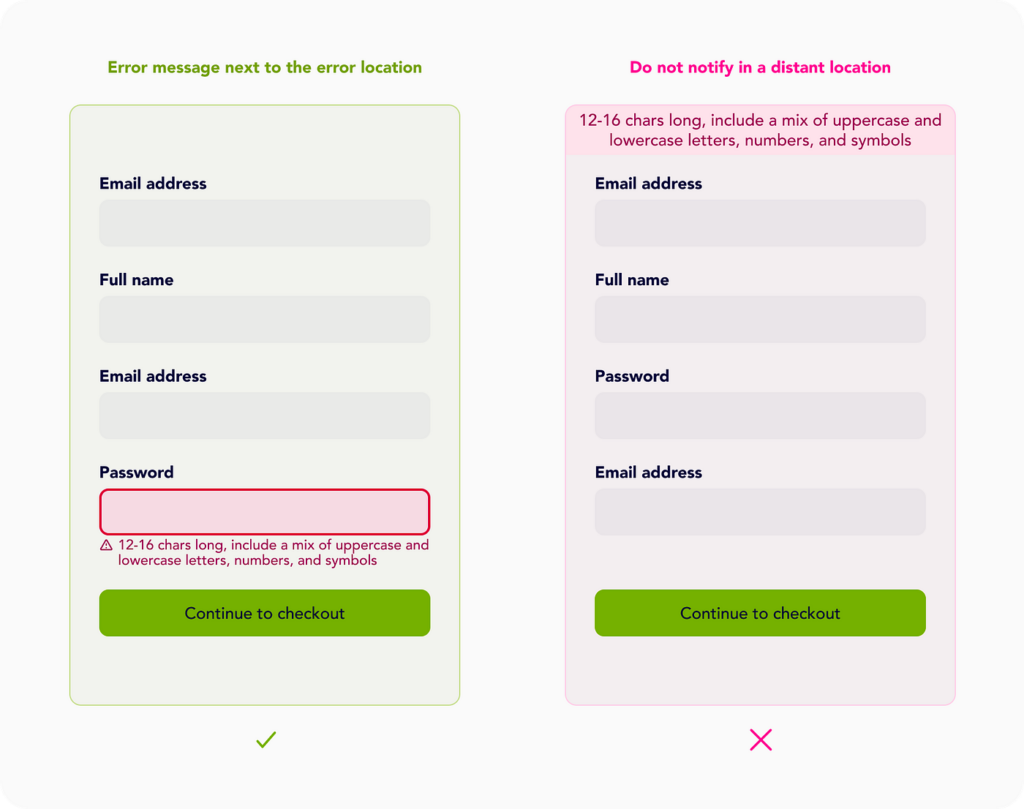
Image Source: Medium.com

The fix: Every API call needs to be wrapped in error handling that checks the response status before processing it, catches exceptions, and shows the user a meaningful message rather than a crash. This does not require rewriting your app – it requires systematically adding safety nets around every external call.

Community evidence: On r/webdev, a common thread pattern reads: “Cursor generated MVP worked flawlessly in testing, prod users get blank screens constantly, turns out zero error handling on any of the API calls.” This is the single most reported failure pattern across vibe coding communities.

Reason #2: No Loading States: Your UI Lies to Users

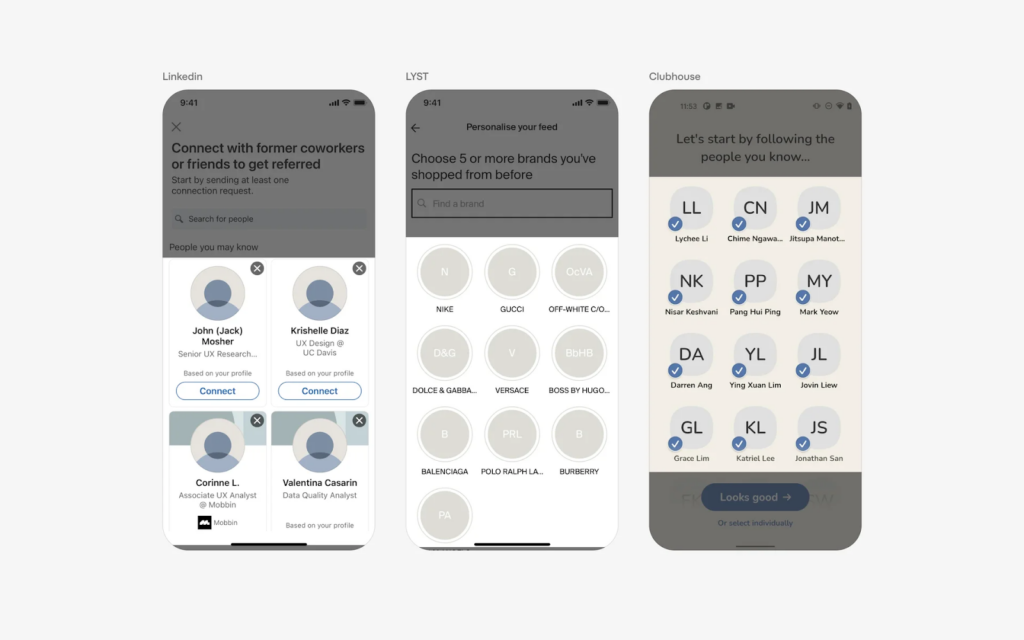
What it is: A loading state is what your app shows while it is waiting for data to arrive – a spinner, a skeleton screen, a “loading…” message. Without it, your app tries to render data before it exists, producing blank sections, flickering content, or broken layouts.

Why vibe-coded apps are prone to it: When you prompt an AI tool to build a page that displays user data, it builds the page. It writes the code that fetches the data and displays it. What it almost never adds without an explicit instruction is the intermediate state – the moment between “started fetching” and “data arrived” – where the component needs to show something meaningful.

What you see: Pages that flash blank and then suddenly populate. Buttons that appear to do nothing when clicked because they have no visual feedback that the action is processing. Users submitting forms multiple times because there is no indication the first submission worked. On mobile especially, where network connections are slower, this becomes critical as users see it is broken, half loaded interfaces and assume the app is broken.
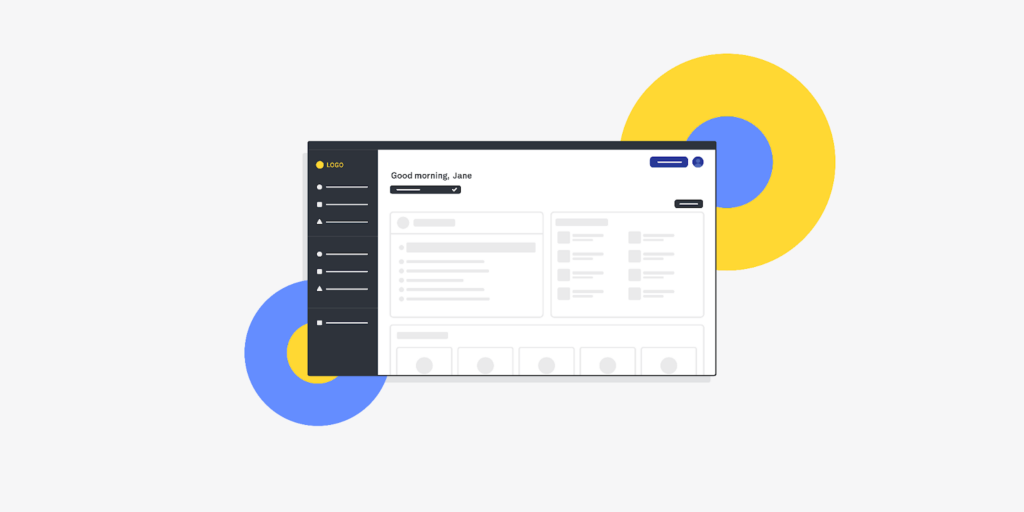
Image source: UXdesigninsitute

The root cause in your code: React components rendering <div>{data}</div> with no conditional check, if data is undefined while the fetch is in progress, the component renders an empty or broken state. Replit and Bolt.new outputs are particularly prone to this because their generators prioritise getting working UI on screen quickly.

The fix: Add ternary state rendering – if loading, show spinner; if error, show error message; if data exists, show data. Libraries like SWR and React Query handle this pattern elegantly and dramatically reduce the amount of loading state code you need to write manually.
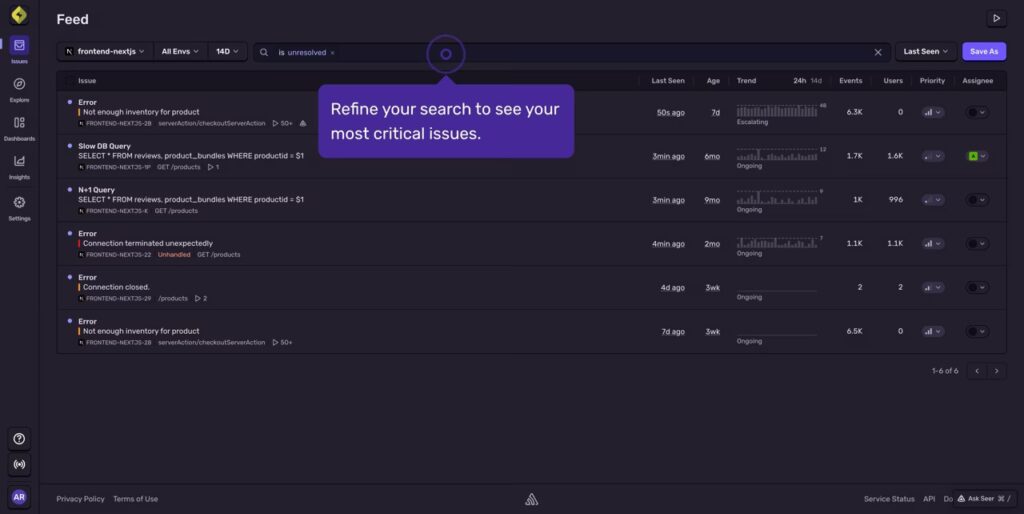
Image Source: Sentry.io

Reason #3: Race Conditions: Your App Is Fighting Itself

What it is: A race condition happens when multiple operations run simultaneously and their results arrive in an unpredictable order, causing them to overwrite or interfere with each other.

Why vibe coded apps are prone to it: When you build features incrementally through AI prompts like “add search,” “add filtering,” “add real-time updates” – each feature gets its own independent async operations. The AI builds each one correctly in isolation. What it does not do is coordinate them. When they run simultaneously in production, they collide.

What you see: Search results that randomly flip between two different results. A filter you applied that gets overridden a second later. Forms that submit twice, or data that appears and then disappears. The behaviour seems random and inconsistent, making it nearly impossible to reproduce in a simple test.

The root cause in your code: Two setState calls where the slower async operation resolves after the faster one and overwrites the result. A user types quickly in a search field, triggering three API calls where the second one resolves last, overwriting the result of the third, showing the user the wrong data.
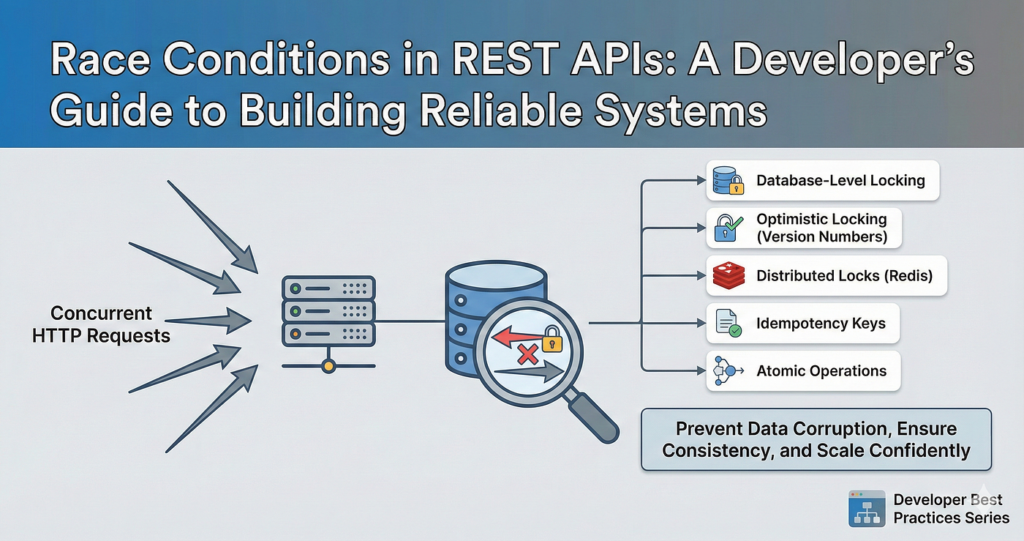
Image source: Medium.com 

The fix: Use AbortController to cancel in-flight requests when a new one starts, or adopt React Query or SWR which handle request deduplication and cancellation automatically. This is one of the harder fixes to add retroactively, threads on Stack Overflow document the patterns extensively.

Reason #4: Memory Leaks: Your App Gets Slower Until It Dies

What it is: A memory leak happens when your app allocates memory – for event listeners, timers, WebSocket connections, or subscriptions – and then never releases it when it is no longer needed. The memory usage grows continuously until the app slows to a crawl or crashes.

Why vibe-coded apps are prone to it: AI tools generate the code that starts things – adds an event listener, starts a timer, opens a WebSocket connection. They frequently forget the code that cleans them up when the component unmounts or the user navigates away. This is a known pattern in Cursor outputs specifically, where the context window optimises for functionality over cleanup.

What you see: The app works fine initially but gets progressively slower the longer a user stays on it. Mobile users report high battery drain. After 10–15 minutes of use, browser tabs crash, especially on lower end devices. Users who open your app and immediately close it never experience the issue than the engaged users, which means you are punishing your best users.
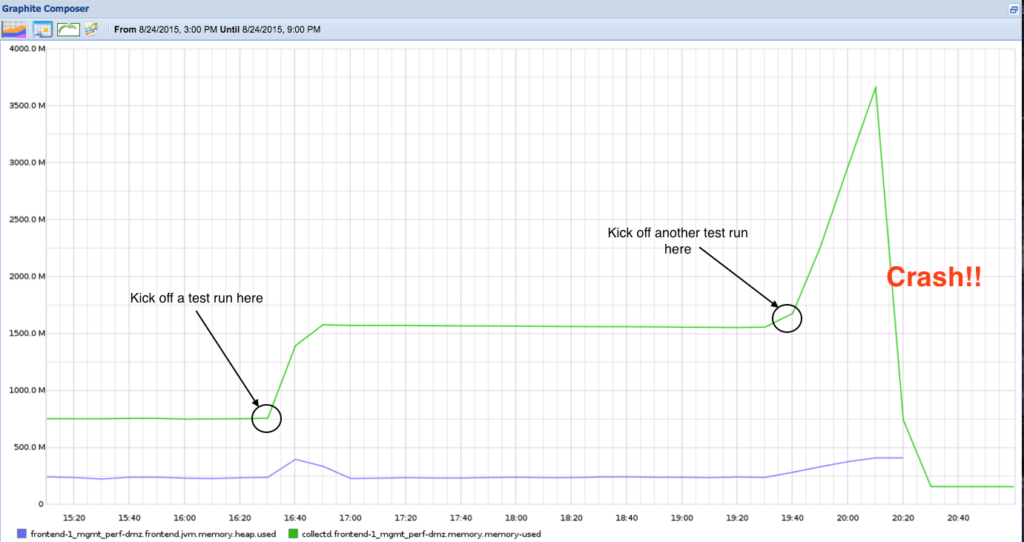
Image Source: technology.blog.gov.uk

The root cause in your code: useEffect hooks that add listeners or start intervals without returning a cleanup function: useEffect(() => { window.addEventListener(‘resize’, handler) }, []) – with no return () => window.removeEventListener(‘resize’, handler). Every time the component mounts, a new listener is added. They are never removed.

The fix: Audit every useEffect that starts something like event listeners, intervals, subscriptions, WebSocket connections and ensure each one returns a cleanup function. The React DevTools Profiler and browser memory tab can identify leaking components. The GitHub issue tracker for React has extensive documentation of this pattern.

Reason #5: API Failures: Your Integrations Break Silently

What it is: API failures cover a range of issues: rate limits that get hit and return 429 errors, authentication tokens that expire and return 401 errors, and server errors that return 500 status codes, all of which vibe coded apps typically handle by ignoring entirely.

Why vibe-coded apps are prone to it: When you prompt “integrate with the Stripe API” or “connect to OpenAI,” the AI builds the integration and builds it to work under ideal conditions. It does not account for what happens when you hit the rate limit, when the auth token expires after 24 hours, or when the third-party service returns an error. These scenarios are invisible during development because they rarely occur in the low volume sandbox environment.

What you see: Payments that silently fail. AI features that stop working after a day without any error message. Login flows that break mysteriously. Users who were active yesterday cannot log in today. The most confusing cases are where the integration works perfectly for days and then stops more often because an auth token expired.

The root cause in your code: Code that calls response.json() without first checking response.ok or response.status. A 429 response does not crash the app, it just returns error data that gets parsed as if it were successful data, silently corrupting the result. A 401 token expiry gets processed as a “failed” API call with no retry or refresh logic.

The fix: Implement status code validation before parsing every API response. Add token refresh logic for any OAuth or JWT based integrations. Add exponential backoff retry logic for transient failures and rate limits. Sentry: which has a generous free tier catches 90% of unhandled API failures and shows you exactly where they are occurring in production.
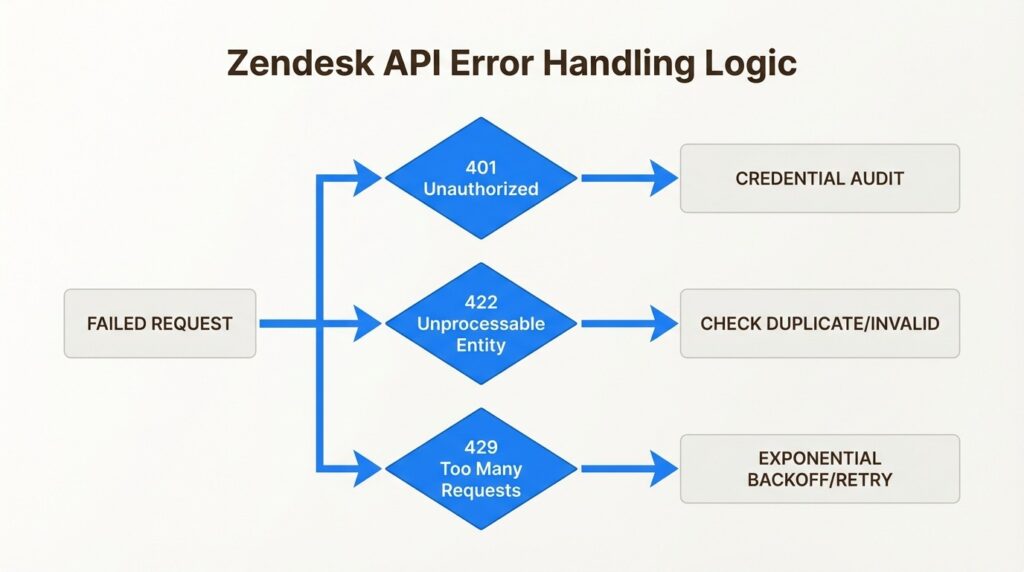
Image Source: eesei.ai

The Incidents That Prove This Is a Systemic Problem

This is not theoretical. In 2025, documented incidents showed exactly what happens when vibe-coded apps reach real users without proper hardening.

Moltbook exposed 1.5 million API keys – including OpenAI and Stripe credentials – through client side JavaScript bundles. The app was built with Lovable, which generated code that inlined API keys directly in the frontend. The keys were visible in any browser’s developer tools. Escape.tech’s automated scanner discovered the vulnerability. Remediation took 48 hours, but the blast radius included user PII queries and payment processor access during that window.

A Lovable-generated app (documented by security researchers in mid-2025) had inverted access controls affecting 18,000 users – meaning users could access each other’s data. The auth logic was generated correctly for the single-user demo case and broke entirely under multi user conditions.

Replit agentic deployments were documented deleting production database records – 1,206 rows in one reported case – because the agent misinterpreted a cleanup instruction in a context where it had write access to the live database.

These incidents are covered in detail in security research from Escape.tech and discussed extensively on Hacker News threads tagged with “vibe coding security.”

Why Your App Looked Fine Before You Launched

Understanding why the demo worked helps you understand what to fix. There are five specific conditions in development environments that mask production failures:

Low volume. Race conditions only appear when multiple operations run simultaneously, which rarely happens with one developer testing alone. Memory leaks take time to accumulate the invisible in a 5-minute test session. API rate limits are not hit by one person clicking through a demo.

Controlled network conditions. Your local machine or Replit sandbox has a fast, stable connection. Error handling gaps only expose themselves when network requests fail or time out – which almost never happens on a developer’s machine.

Single user, single session. Authentication token expiry takes 24 hours. No developer tests what happens 25 hours after login. Users do.

No real data. Your test data is clean and predictable. Real user data is unpredictable – unusual characters, unexpected formats, edge case values that break parsing logic the AI never anticipated.

Mocked integrations. Many AI-generated codebases use mock data in development that gets replaced by real API calls in production. The mock never rates the limits. The real API does.
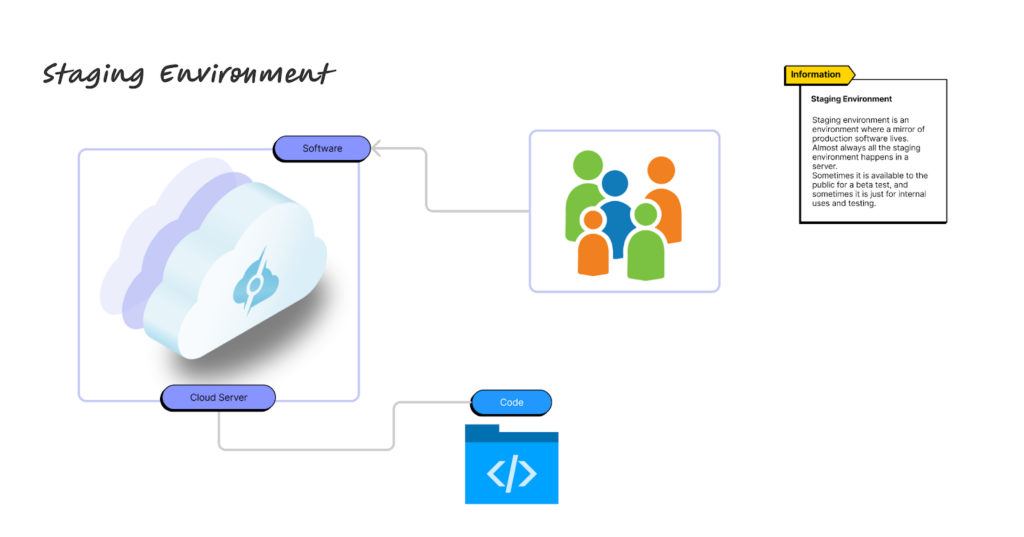
Image Source: Servermania.com

This gap between sandbox and production is what the developer community on r/indiehackers calls the “vibe coding wall” – the point where the AI-generated demo becomes real software and its structural weaknesses become visible.

The Tool-Specific Failure Patterns You Should Know

Different tools generate different failure signatures. Knowing which tool built your app points you toward the most likely failure category.

Lovable failures concentrate around authentication flows. The tool generates optimistic frontend auth that assumes tokens are always valid, missing the refresh logic that keeps users logged in beyond the initial session window. If your Lovable app has login problems or users getting randomly logged out, this is almost certainly the cause.

Cursor failures concentrate around context window limitations. When you build features iteratively over many prompts, Cursor loses context of earlier decisions. Cleanup functions added in prompt 5 get forgotten when prompt 15 adds a related feature. The result is accumulated technical debt that compounds – bugs that keep coming back because the fix is applied without understanding the earlier context that caused the problem. Discussion of this pattern is active on r/cursor.

Replit failures concentrate around environment and deployment issues. Public Replit environments expose .env files. Database connection pooling is not configured for real traffic loads. Cold start issues cause the first request after an idle period to time out. The Replit community forum documents these patterns extensively.

v0 failures concentrate around component integration. v0 generates beautiful, isolated Shadcn UI components that lack error boundaries. When integrated into a larger codebase, a single fetch failure in one component crashes the entire app. CORS configuration gaps appear consistently after Vercel deployment.
The Decision You Need to Make: Fix or Rewrite

Not every vibe-coded codebase can be patched. There is a tipping point beyond which continued debugging is more expensive than a structured rewrite, and knowing where that point is saves significant time and money.

Signs your app is patchable: Fewer than 5 distinct crash types. Failures are consistent and reproducible. Core business logic is sound. The architecture, even if not hardened, is coherent.

Signs you need a rewrite or major refactor: More than 50% of components have structural issues. Every fix introduces new bugs. You cannot add features without breaking existing ones. A technical reviewer (or a tool like SonarQube) scores your debt at 7/10 or higher. You have paying users leaving because of instability.

If you have paying users and a broken codebase: Do not rewrite while the app is live with live users. Fork to a v2 branch, maintain the broken v1 with minimal patches for existing users, and migrate users to v2 via feature flags as sections stabilise. This is the approach recommended in post-mortems documented on Hacker News and in the Indie Hackers community.

The Pre-Deployment Checklist That Catches 95% of These Failures

Before your next launch or before you patch your existing app, do run through these 10 checks. They cover the failure patterns documented across every tool and every incident mentioned in this article.

  1. Every API call has a response status check before .json() parsing
  2. Every useEffect that starts something has a cleanup return function
  3. No API keys exist anywhere in frontend code or committed .env files – run trufflehog git:// on your repo
  4. Every async operation has an error state that shows the user a meaningful message
  5. Loading states exist for every data fetch – test on a throttled 3G connection in browser dev tools
  6. Auth token refresh logic is implemented for every OAuth or JWT integration
  7. CORS headers are configured correctly for your production domain, not just localhost
  8. Database connections use pooling – not a new connection per request
  9. Error monitoring (Sentry free tier) is installed and capturing production errors
  10. The app has been tested with browser dev tools set to simulate slow network and offline mode


What to Do Right Now

If your app is currently broken in production, this is the correct sequence:

First, install Sentry on the free tier if you have not already. It will immediately start capturing unhandled errors and showing you exactly where crashes are occurring – often resolving the “I have no idea what is wrong” problem within the first hour.

Second, open your browser developer console on your live production app and look for red error messages. The console shows unhandled promise rejections and JavaScript errors that are invisible to users but point directly to root causes.

Third, check your deployment platform logs like Vercel, Netlify, Railway, or Supabase all have log viewers that show server-side errors. Look for 4xx and 5xx status codes and identify which API routes they are coming from.

Fourth, cross refer what you find with the five failure patterns in this article. Most production crashes in vibe coded apps are caused by one or two of these patterns, not ten simultaneous problems.

If you find the problem but are not sure how to fix it safely on a live codebase – especially one with real users, that is precisely the scenario where a structured code review is worth the investment. The cost of a professional audit is a fraction of the revenue risk of continued crashes. 

Frequently Asked Questions

Why does my AI-coded app work on my machine but crash in production?

Your local machine runs under ideal conditions – fast network, single user, short sessions, no real load. Production exposes edge cases that never occur in development: network timeouts, simultaneous users triggering race conditions, sessions that last long enough for auth tokens to expire, and API rate limits that only appear at real usage volumes. The app is not broken differently in production, it is exactly the code the AI generated which is now exposed to conditions the AI never anticipated.

How do I know if my vibe-coded app has a security vulnerability?

Run trufflehog git:// on your repository to scan for exposed API keys and secrets. Check your frontend JavaScript bundle (visible in browser dev tools under Sources) for any strings that look like API keys, tokens, or passwords. Review your Supabase or database configuration for Row Level Security, missing RLS is the single most common security gap in Lovable and Supabase-backed apps. Security scanning tools like GitGuardian offer free tiers that run continuously on your repository.

Can I fix a vibe-coded app or do I need to rewrite it entirely?

Most vibe-coded apps with fewer than five distinct crash types are fixable without a rewrite. The five failure patterns in this article – error handling, loading states, race conditions, memory leaks, and API failures are all patchable on a running codebase without rebuilding from scratch. A rewrite becomes necessary when the architecture itself is incoherent, when more than 50% of components have structural issues, or when every fix introduces new failures. If you are unsure, a structured code audit will tell you within a few hours which category your codebase falls into.

What is the fastest free tool to diagnose production crashes in a vibe-coded app?

Sentry on the free tier is the fastest diagnosis tool available. Install it in under 15 minutes and it immediately starts capturing unhandled errors, showing you stack traces, the user action that triggered the crash, and the frequency of each error type. For API-specific failures, your deployment platform’s built-in logs (Vercel logs, Supabase logs) show real-time status codes and let you identify which endpoints are returning errors.

Why does Cursor keep generating the same bug even after I tell it to fix it?

This is a context window limitation. Cursor’s AI context has a finite window – it knows about recent prompts and recent code but loses awareness of earlier architectural decisions. When it fixes a bug in prompt 20, it may not have access to the context from prompt 5 that explains why the original pattern was written the way it was. The fix reintroduces the bug because the underlying pattern that causes it is not in the current context. Solutions include providing explicit context in each fix prompt, using Cursor’s full codebase indexing features, and breaking complex fixes into smaller, explicitly contextualised steps. This is an active discussion on r/cursor and r/ChatGPTCoding.

Is my app’s data safe if it was built with a vibe coding tool?

It depends on whether Row Level Security is configured in your database, whether API keys are stored as environment variables rather than in frontend code, and whether authentication is validated server-side. Apps built with Lovable + Supabase are particularly vulnerable to missing RLS – meaning all users can potentially access all other users’ data. Run an immediate check: log into your Supabase dashboard and verify that RLS is enabled on every table that contains user data. The Supabase documentation on RLS walks through the setup.

Related Reading and Community Resources

For ongoing learning, these communities and resources are where the most current vibe coding debugging knowledge lives:


If you are dealing with a vibe-coded app that is breaking in production and need a structured diagnosis rather than more trial and error, a free code audit identifies the specific failure patterns in your codebase and tells you exactly what to fix and in what order.

Disclaimer

This article is written for technical educational purposes. The failure patterns, incident references, tool behaviours, and debugging approaches described here are drawn from documented community reports, published security research, and engineering best practices current as of March 2026. Individual codebases vary significantly – the patterns described are the most commonly observed across vibe-coded applications but may not apply to every case.

References to specific tools (Cursor, Lovable, Replit, v0, Bolt.new) describe general observed behaviours and documented community-reported failure patterns. They do not constitute a comprehensive technical audit of any tool’s capabilities or limitations, and tool behaviour changes with version updates. Always verify current tool documentation before making architectural decisions based on this content.

Security incident descriptions (Moltbook, Lovable access control failure, Replit agentic deletions) are based on publicly reported information available at time of writing. Details may differ from final incident reports.

This content does not constitute professional legal, financial, or security advice. For critical production systems, data-sensitive applications, or regulated industry deployments, engage a qualified software security professional for a formal assessment.

Share this post

Leave a Reply